




This article analyzes a recent and sophisticated phishing campaign that uses the Browser-in-the-Browser (BitB) technique to steal credentials, particularly those from services like Microsoft 365. The BitB attack is notable for its ability to generate a fake login window that hyper-realistically mimics an official browser, tricking the user into entering data on a seemingly legitimate screen.
Technical analysis reveals that the danger of this campaign lies not only in visual deception, but also in a complex obfuscation and anti-analysis architecture. The attack is preceded by a verification landing page that implements a multi-stage JavaScript decryption pipeline to obfuscate the final payload, filter out bots and automated security systems, and thwart forensic analysis.
This multi-layered defense mechanism allows the attack to evade initial detection by security endpoints and reach its objective more effectively.
Finally, some defensive measures are highlighted, such as constant verification of the real address bar and the adoption of multi-factor authentication.
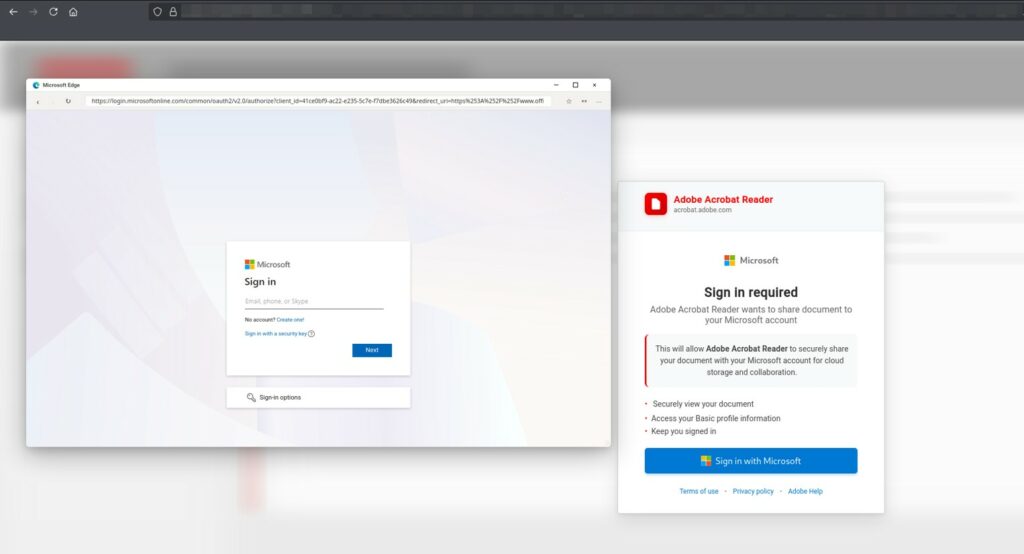
The malicious page generates a window that perfectly imitates Microsoft Edge, even displaying a genuine URL such as login.microsoftonline.com.
In reality, it is a simple graphic element that can be moved around the page, while the browser’s actual address bar points to an unknown domain.

The user, believing they’re on a legitimate site, is prompted to “Sign in with Microsoft” to access a document. By entering their credentials, they end up directly in the hands of the attackers.
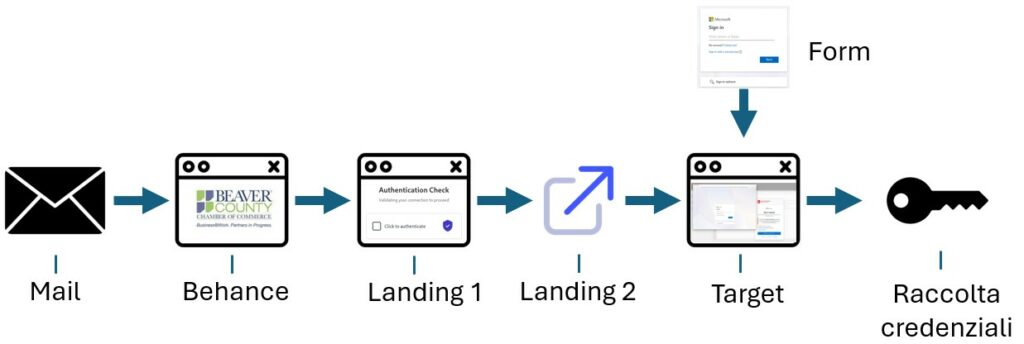
Attack Chain:
Behance
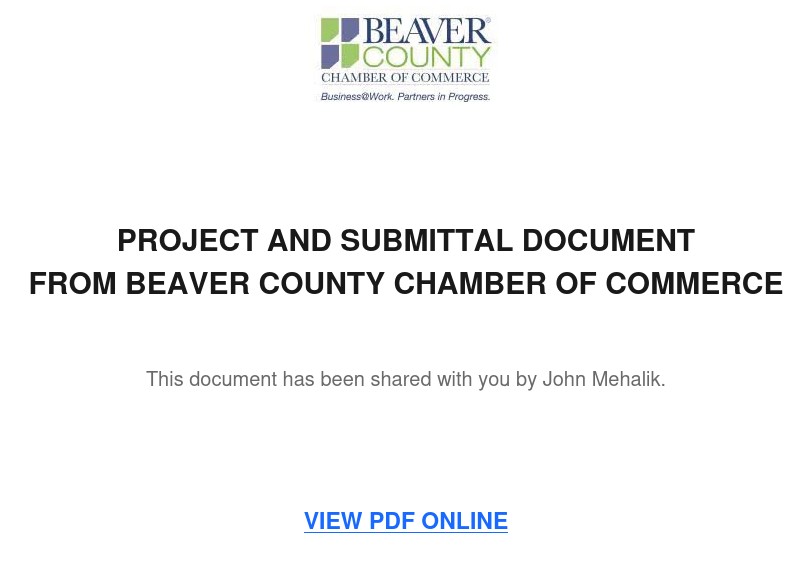
The initial attack vector is a phishing email that tricks the victim into downloading a malicious file (or a supposed resource) via a link that redirects to a legitimate portal, such as Behance ( https://www.behance.net/ ).
In turn, you are asked to open a link to download a document.
Landing 1
Before the real page is displayed, an intermediate page is displayed that is used in malicious activities or phishing campaigns for various purposes, the most important of which is anti-analysis and hiding suspicious final content, such as analysis on Virus Total.
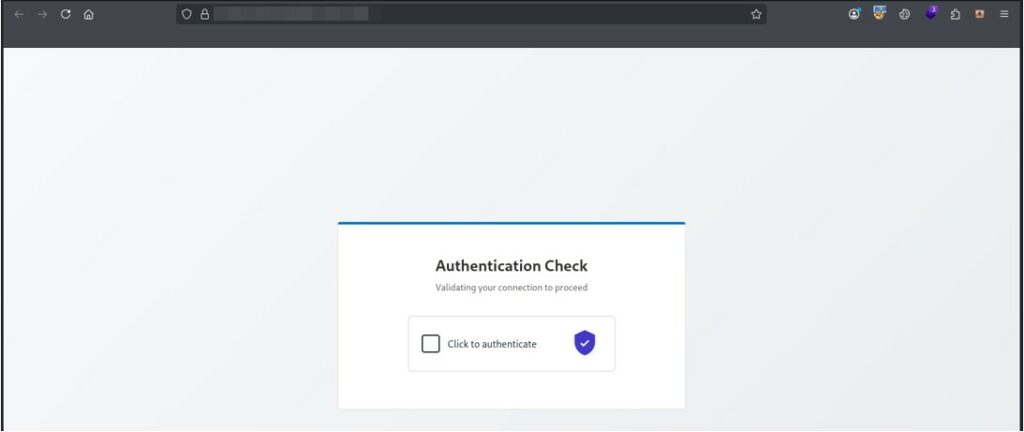
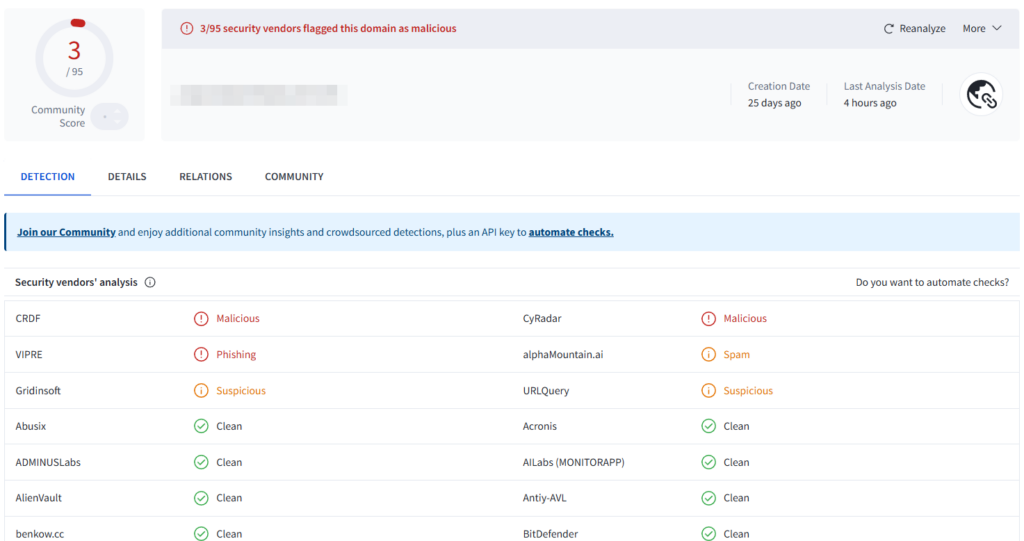
Analysis of the landing page using VirusTotal had detected only one endpoint as suspicious. Subsequent analysis increased the number of endpoints reporting the page as suspicious to three.
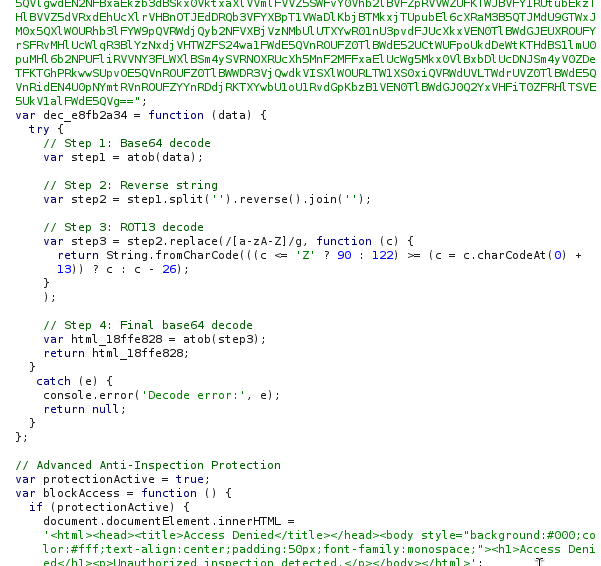
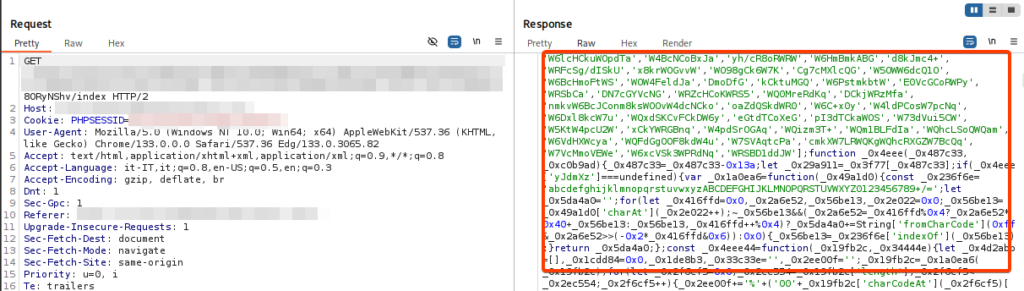
In fact, the initial loader contains JavaScript code that implements a four-pass decoding pipeline to obfuscate and recover sensitive data, used to hide strings, URLs, or HTML fragments.
This file is launched before presenting the suspicious page because it acts as a multi-level security gate, these measures are used to:
This is a snippet of code from the obfuscated loader. Unexpectedly, comments are also included in the code for all the operations performed, making it easy to read.
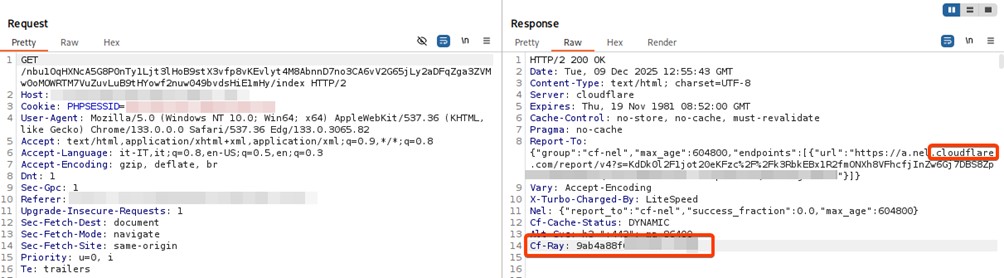
A thorough analysis of the DNS resolution and HTTP call reveals that the malicious domain is hosted behind Cloudflare’s infrastructure, which acts as a reverse proxy. This configuration is not random: the attacker deliberately exploits tools designed for data protection and optimization to ensure strategic anonymity.
Through this ‘shield’, the malicious actor is able to hide the real IP address of the originating server, evade IP reputation-based perimeter security controls, and maximize the lifetime of the phishing campaign.
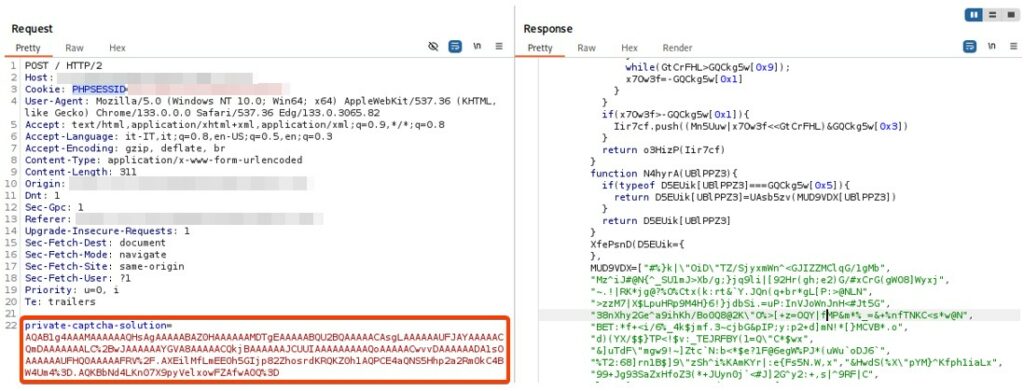
Landing 2
Once the “puzzle” has been solved, a new intermediate step is used with characteristics similar to the previous one.
Target
The latter, with a further redirect, leads to a page designed to simulate a Microsoft authentication request to access a document.
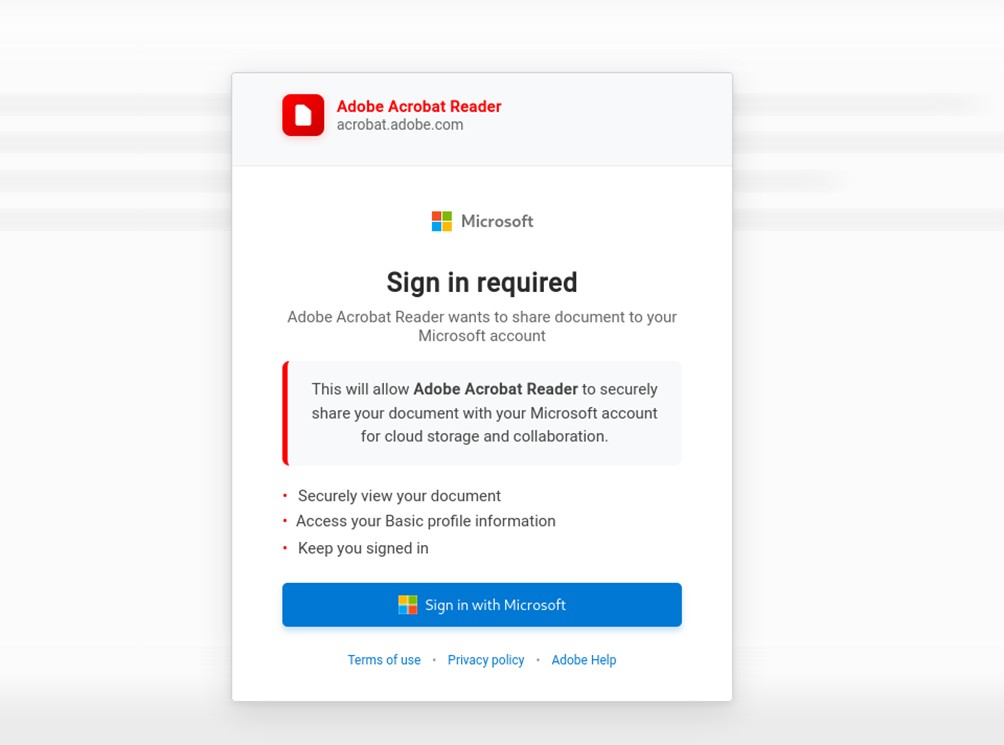
This page also contains obfuscated content. Furthermore, it exploits operating system fingerprinting by adding specific CSS classes (.browser-window.edge.dark or .browser-window.safari) to the fake browser to make it appear exactly like the user’s browser window.
Once the button to authenticate with Microsoft is clicked, a new HTTP call is started in the background to retrieve the contents of a Microsoft form.
Then, a fake browser is simulated to open on the page area (in our case, Microsoft Edge), which displays the Microsoft login with the “authentic” URL.
This technique as mentioned is known as Browser-in-the-Browser (BITB) Attack.
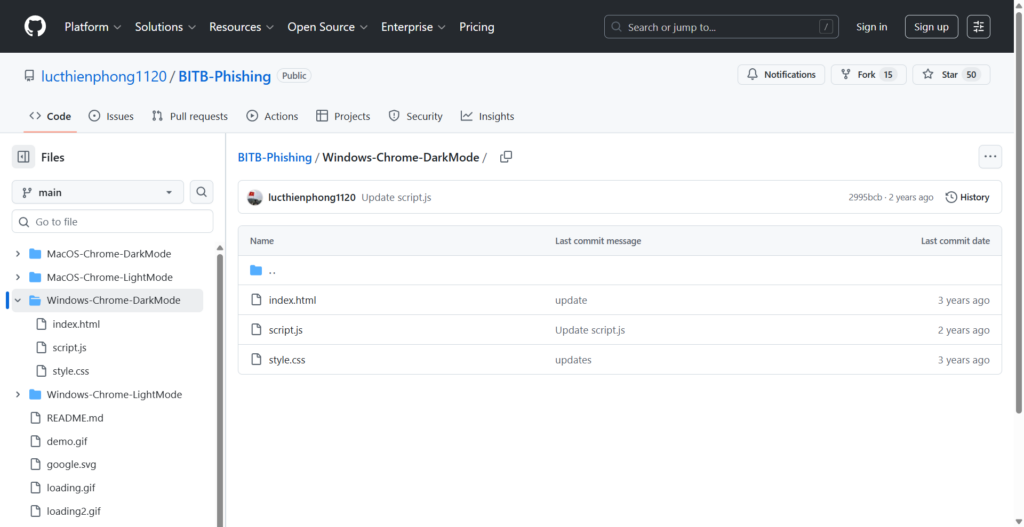
Developer mr.d0x has released the “BitB Attack” kit on GitHub for educational purposes, which allows you to create extremely realistic single sign-on phishing login forms.
Link: https://github.com/lucthienphong1120/BITB-Phishing
As the analysis revealed, the real threat lies in the complex stealth architecture that precedes the final attack.
The presence of a sophisticated JavaScript decryption sequence, combined with verification pages and anti-analysis and anti-bot measures, demonstrates a high level of preparedness on the part of the attackers.
These precautions not only hide the payload from automatic security scans (such as those from VirusTotal), but also make it extremely difficult for security analysts to decrypt and block the threat in time.
The final BitB attack finally induces a visual deception by creating a fake browser window using graphical elements to steal credentials.
The publication of educational tools such as the “BitB Attack” kit by mr.d0x, although for research purposes, underscores the ease with which this technique can be replicated, making the threat accessible to a wide range of attackers.
To effectively protect yourself, you must always pay attention to spam emails, always verify the real URL, and in these cases, have MFA authentication enabled.
Follow us on Google News to receive daily updates on cybersecurity. Contact us if you would like to report news, insights or content for publication.